For Journalists & Newsrooms

Prove it's real. Protect who gave it to you.

Seal your footage and photos with tamper-evident credentials and a durable watermark, verify what comes in from the field, and keep every bit of it on your Mac. Prove a file is authentic without ever being forced to attach a name that could put a source at risk.

Download on the Mac App Store See how it works
The problem

Seeing is no longer believing.

Anyone can generate a convincing fake in seconds, and a real clip can be cropped, re-cut, or falsely called AI. Newsrooms have to prove that what they publish is genuine and unaltered, and a reporter in the field often has to prove a file is real without exposing the person who risked everything to send it. Cloud tools can't touch that kind of material. Reconize does it on your Mac.

How it works

Sign, verify, and protect the source.

1

Sign at capture or edit

Seal open C2PA credentials and an invisible watermark into footage and photos, 100% on your Mac. The mark rides in the pixels, so provenance survives the compression and re-uploads that strip plain metadata.

2

Verify what comes in

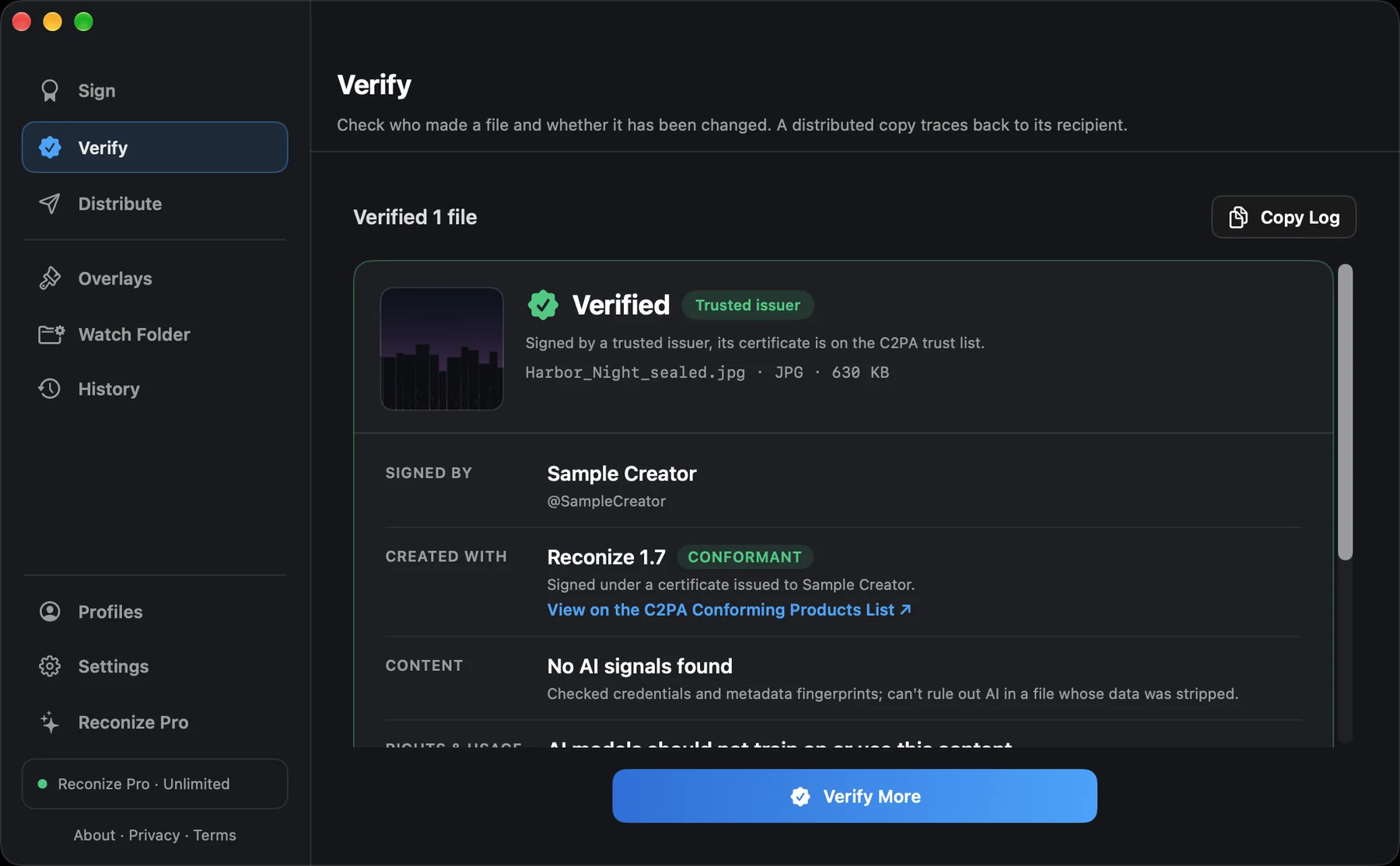
Drop incoming footage or source material into Verify. Reconize tells you who signed it, whether it has been changed since, and whether AI use was declared, so you check before you run it.

3

Protect the source

Identity is optional and separate. Prove a file is authentic without attaching a name, or sign under the newsroom's identity instead of a person's. Nothing is ever uploaded, on any network.

In the field and on the desk

Built for the newsroom and the field.

Same engine underneath. Here's what it means for the work you actually do.

Photojournalists & Field Reporters

Prove your footage is yours and unaltered.

Sign at the moment of capture, even offline on a hostile network. An invisible watermark and signed credentials travel with the file, so a stranger's cropped re-upload can be checked against your signed original.

Newsrooms & Desks

Disprove the doctored re-upload.

Sign what you publish so a manipulated copy claiming to be yours fails the check against your credentials. Verify incoming user footage before it airs, and keep a provable record of exactly what you released.

Human-Rights & Documentary

Authenticity without endangering the source.

Prove a file is real and unchanged while keeping identity off it, or under an organization instead of a person. Everything stays on the machine, so sensitive material never has to touch a cloud.

Archives & Investigations

Provable years later.

Sign footage and documents with an independent timestamp so they can be shown authentic long after publication, and read AI disclosures on material you are handed during an investigation.

Why local matters here

The tool that works with material a cloud service can't touch.

Source protection isn't a setting, it's the architecture. Your keys, your files, and your sources never leave your Mac. There's no account, no upload, and no server that could be subpoenaed or breached. That's what lets Reconize handle the footage the highest-stakes stories depend on.

Built for it

  • 100% on-device, nothing uploaded, no account
  • Optional, separate identity: prove integrity without attribution
  • Durable watermark that outlives metadata stripping
  • Open C2PA standard, certified conformant, verify in any tool

Provenance, not a verdict.

Reconize proves origin and integrity, not truth. It tells you who signed a file and whether it has changed since, and it reads declared AI use, but no tool proves a file is honest or that AI was not involved when nothing was declared. The watermark deters and attributes and is built to survive everyday reposting and re-encoding, though extreme cases like re-filming a screen can weaken it. Verified newsroom identity, aligned to the IPTC Verified News Publisher list, is on the way.

Publish what you can prove.

Download on the Mac App Store See pricing